Founder’s Personal Security Checklist, Part 2: Phishing, SIM-swap, and Caller-ID Spoofing

Intro
In Part 1 we covered passwords and MFA - the foundations that raise the cost of brute-forcing your credentials. But attackers rarely brute-force what they can simply ask you for, or what they can trick your phone carrier into handing over.
Read Part 1: Passwords and MFA basics
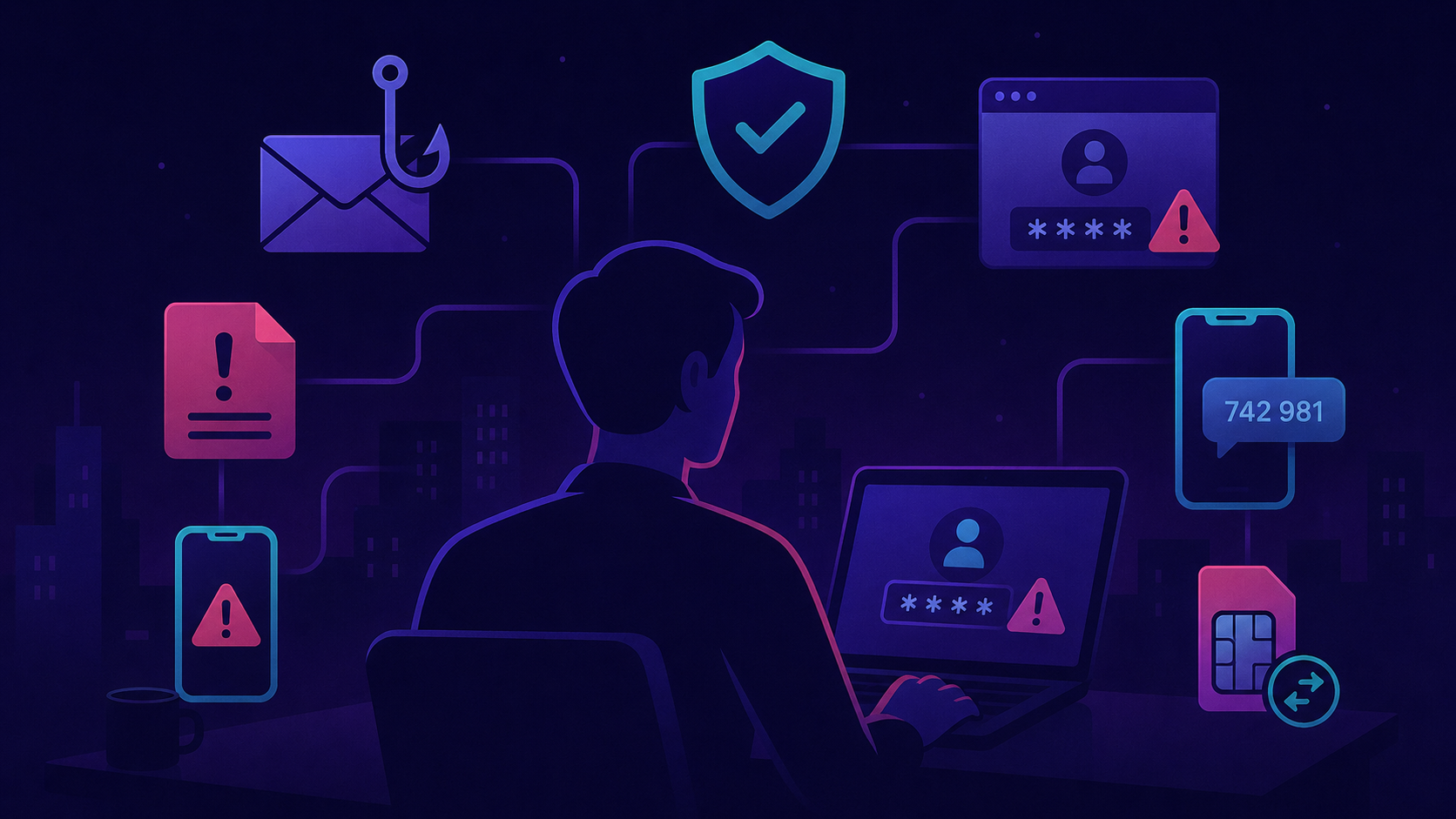
This part focuses on the two attack chains that most often turn a founder into a successful breach:
- Phishing: tricking you into voluntarily handing over credentials, codes, or signatures.
- SIM-swap: convincing your carrier to port your phone number to the attacker’s SIM, then using it as a recovery factor.
- Caller-ID spoofing: faking the sender of a call or SMS to impersonate trusted contacts and brands.
These three are connected. A successful phishing run often opens a single account; a SIM-swap then bypasses any SMS-based recovery you forgot to disable; caller-ID spoofing weaponises voice and SMS to chain into voice-based fraud or to trick your inner circle into acting on a fake “you.” Defending against all three is a checklist exercise, not a luck-based one.
1. Phishing protections
1.1 Why founders are prime targets
If you’re running a company, you’re a much more profitable target than the average user.
- You sign things.
- You have access to financial systems.
- You own the domain registrar account.
- You can authorize wire transfers and contract approvals.
- You also have a public profile - LinkedIn, conferences, podcasts, press - which means attackers can profile you cheaply and craft tailored lures.
The cost-benefit calculation for an attacker is brutal: a generic phishing email to 10,000 random people might net pocket change; one well-crafted spear-phish to a Web3 founder can yield millions in stolen tokens or full company takeover.
1.2 The modern phishing kit
Phishing in 2026 is not the broken-English Nigerian-prince email. It is:
- Adversary-in-the-middle (AitM) kits: tools like Evilginx and Modlishka proxy your login session in real time, capturing both your password AND your TOTP code, then replaying them against the real service. Your MFA doesn’t help because the attacker is sitting between you and the real site.
- AI-generated copy: LLMs write convincing, well-grammar emails in your language. Attackers train on public posts to impersonate the people you trust - your investor, lawyer, co-founder, board member - or to impersonate you when emailing your team, bank, or vendors.
- Voice phishing (vishing): AI-cloned voices on fake calls - either someone in your network (co-founder, investor, lawyer, accountant) calling you, or someone pretending to be you when calling your team, bank, or vendors. Brief public audio - a podcast, a panel talk, a voicemail greeting - is enough to train a convincing clone.
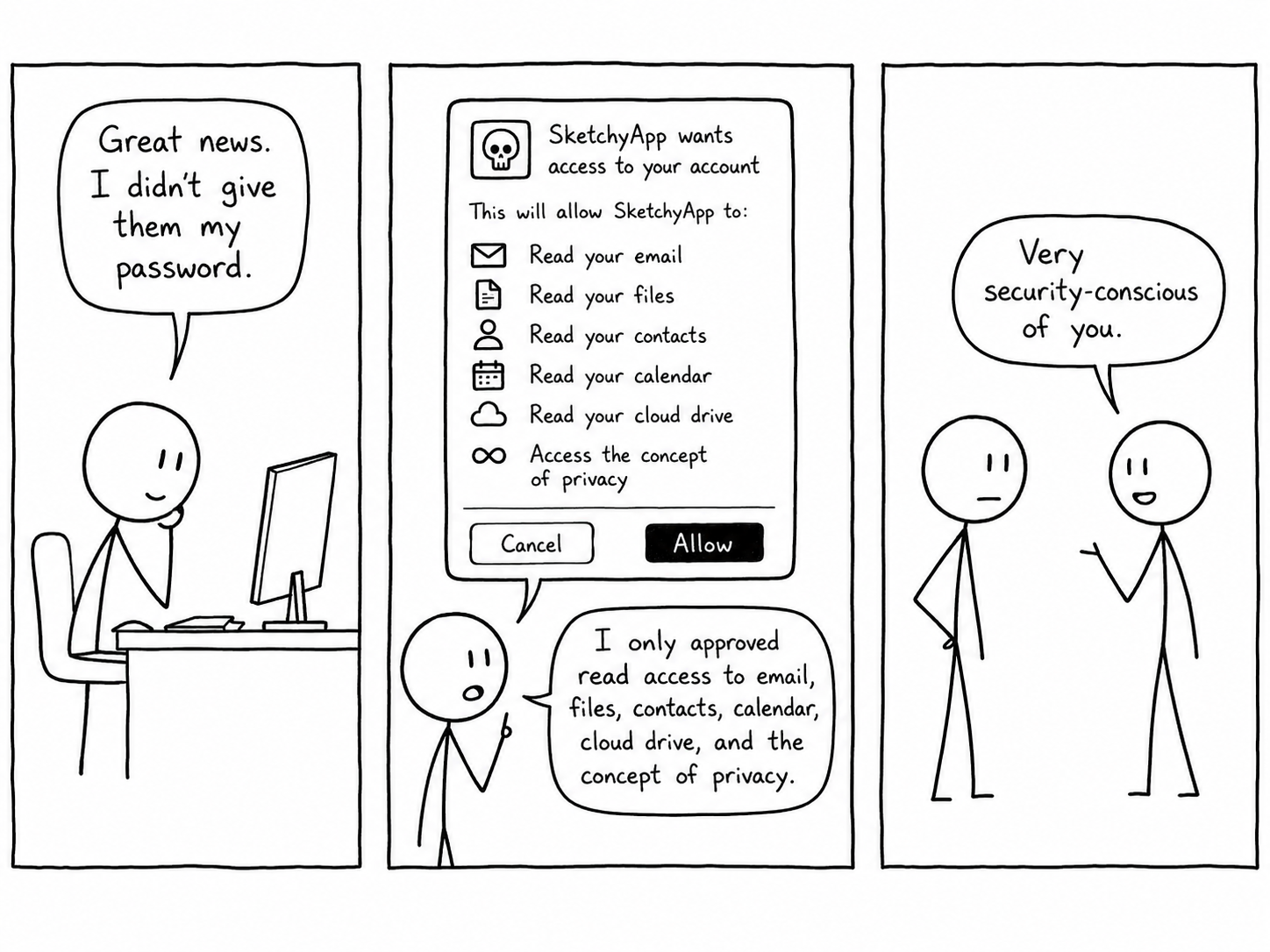
- OAuth abuse: attackers don’t even need your password. They send you a “share this document” link that requests broad permissions on your Google/Microsoft account. One click and they have ongoing access.
- Calendar invite phishing: malicious meeting invites with phishing links in the description, often bypassing standard email filters.
- Homograph domain attacks:
gооgle.com(with Cyrillicо) renders the same asgoogle.comin many fonts.
NB! Don’t expect phishing to be obvious. Modern attacks are engineered - tooling, pretexting, branding are all faithfully reproduced. Plan your defense around process, not instinct.
1.3 What actually stops phishing
TL;DR: layered defenses, ordered by effectiveness.
Hardware passkeys (FIDO2) - already covered in Part 1, but worth repeating here. They’re bound to the real website origin. Even if the attacker has a pixel-perfect replica of your login page running through Evilginx, the passkey simply will not authenticate because the domain doesn’t match. This is the only defense that’s mathematically immune to phishing.
Password manager autofill - your free phishing detector. A side benefit you may not have noticed: a password manager only fills credentials when
the domain matches the saved record. If you land on gooogle.com (typo or phishing) and your manager refuses to fill, that’s a signal. Train yourself
to notice when autofill doesn’t trigger - that’s a red flag, not an annoying glitch.
Always slow down. Urgency is the first signal in social engineering attacks. “Your account will be closed in 24 hours”, “URGENT: confirm this transaction”, “Compliance review due today.” Real businesses don’t operate on 5-minute fuses. When you feel rushed, that’s exactly when you should stop and verify.
Verify on a second channel. If you get an unusual ask by email - your investor asking for a quick transfer, your lawyer pushing a document for signature, your co-founder asking to share credentials - call them on a phone number you already had saved, not one in the email. The same rule applies in reverse: if your team, bank, or vendor reports an unexpected request “from you,” they should verify the same way before acting. SMS, Slack, Telegram - switch channels.
Domain-isolated emails for high-stakes accounts. Use one email for banking, another for the domain registrar, another for Web3 logins. If one alias appears in a phishing campaign, you immediately know which database leaked and which account is being targeted. Services like SimpleLogin, Apple Hide My Email, or Fastmail aliases make this cheap.
OAuth hygiene.
- Review your authorized apps:
- Google: myaccount.google.com/permissions
- Microsoft: account.live.com/consent/Manage
- GitHub: github.com/settings/applications
- Revoke anything you don’t recognize or no longer use. Tools you tried once and abandoned - meeting transcribers, scheduling assistants, CRM trials, AI email copilots - still hold the same scopes today as the day you authorized them. If any of them gets breached, those scopes become the attacker’s.
 Original illustration for DualForce Security.
Hover-and-read URLs. Before clicking, hover (desktop) or long-press (mobile) to see the actual destination. Look for:
- Mismatched domain (
paypa1.com) - Subtle homograph characters
- Unfamiliar TLD (
.zip,.mov,.click) - Long-tail subdomains (
paypal.com.security-verify.evil.tk)
1.4 Run your own phishing drill
The most underrated practice: engage a security partner (or specialized service) to run phishing simulations against your team. The inconvenience of a drill is far cheaper than a real incident.
If you’d like us to run drills for your team, that’s what our Security Awareness Training is for - role-tailored phishing, vishing, and SIM-swap scenarios built from real incidents.
1.5 What to do when (not if) you fall for it
You will eventually click on something. When you realize you did:
- Disconnect. Pull the network or kill the VPN immediately.
- Change the password of the relevant account from a different, trusted device - not the one you just used.
- Rotate session tokens: log out of all sessions in account settings (Google, GitHub, Slack all have this).
- Review and revoke any newly authorized OAuth apps or API tokens.
- Check forwarding rules - attackers often set inbox forwarding to a Gmail of theirs to maintain stealthy access after you “fix” the password.
- Tell your team immediately. Embarrassment costs less than a delayed disclosure.
2. SIM-swap attacks
2.1 How a SIM-swap actually works
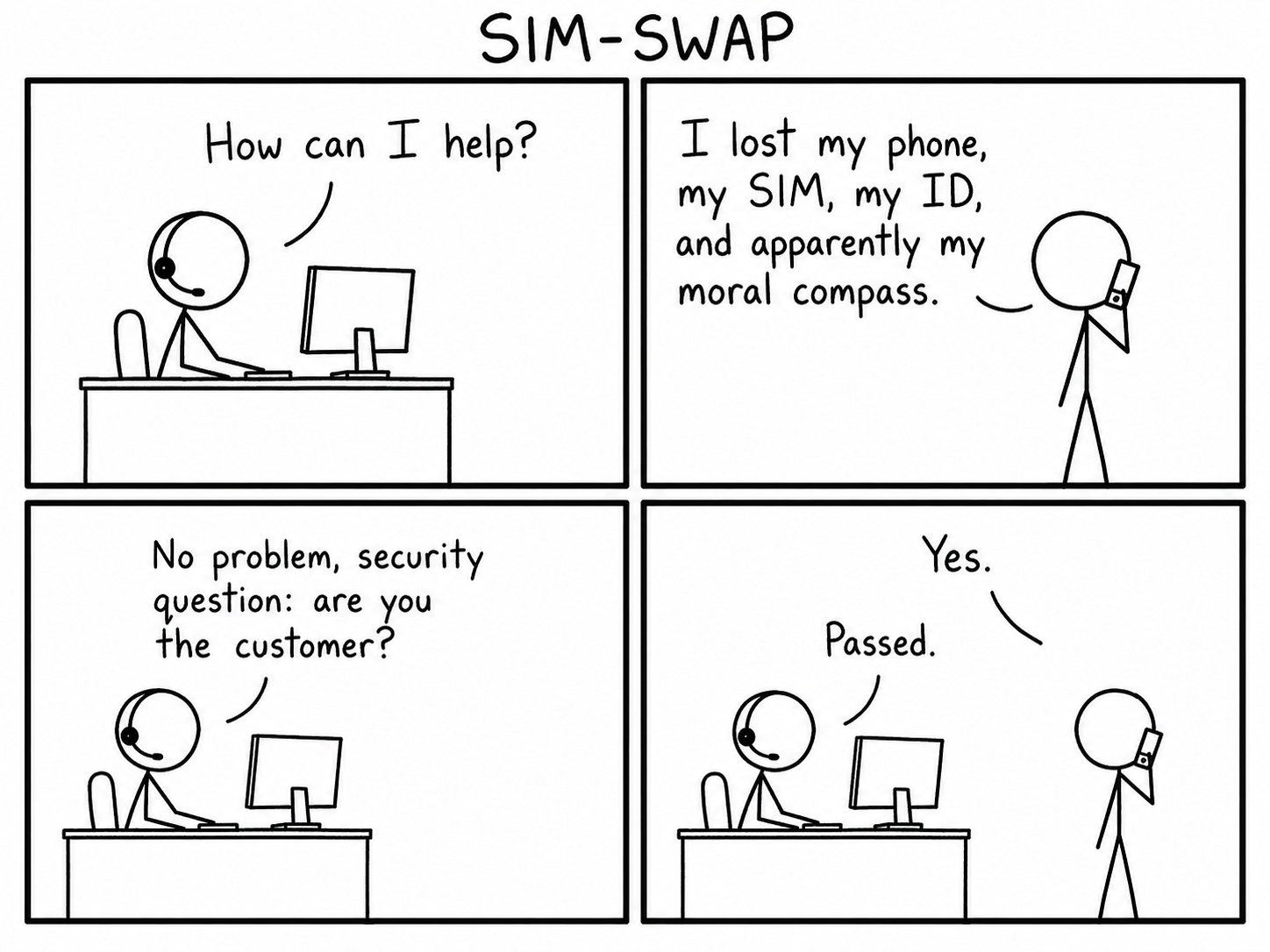
A SIM-swap (also called SIM-jacking or port-out attack) is when an attacker convinces your mobile carrier to issue a new SIM card - or move your number to their device’s eSIM. Once your number is on their SIM, all SMS - including 2FA codes and password-reset links - go to them. Your phone goes dark.
The mechanics:
- Attacker collects basic information about you: full name, date of birth, last 4 digits of your card, recent calls. Most of this is available from data breaches or your social media profile.
- They call your carrier’s customer service pretending to be you, claim “I lost my phone, please move my number to my new SIM.”
- The rep, especially under pressure or after social engineering, complies.
- Your phone goes dark. Theirs starts receiving all your SMS.
 Original illustration for DualForce Security.
Black-market SIM-swap services advertise prices from $50 to $2,000 depending on the carrier and the target. Insider attacks are also documented - corrupt carrier employees willing to “process” a port for a kickback.
2.2 Why this is catastrophic
Despite years of warnings, SMS-based recovery is still everywhere. Once the attacker controls your phone number:
- They reset your email password via SMS “forgot password” flow.
- With your email controlled, they cascade into everything else.
- Bank accounts, exchanges, social media, domain registrars - most still accept SMS as recovery or even as the primary MFA.
Real incidents to anchor this:
- Jack Dorsey (Twitter CEO, 2019): SIM-swapped, attackers tweeted from his account.
- Michael Terpin (crypto investor, 2018): lost $24 million via SIM-swap, sued AT&T.
- Numerous Web3 founders, 2021–2024: chains of SIM-swap → email takeover → wallet seed exfiltration → drained treasuries.
NB! In Web3, a single SMS-recovery-protected email tied to your seed phrase backup service is a single point of failure for your entire treasury.
2.3 Defenses, ordered by impact
1. Use separate phone numbers for personal vs critical accounts. This is the highest-leverage move. Keep at least two lines:
- A public / personal line - given out on business cards, to vendors, at conferences, and used for daily communication. Assume this number leaks eventually.
- A critical line - known only to you and trusted family, used exclusively for binding to high-stakes accounts: email recovery, banking, exchanges, domain registrar, password manager recovery, treasury wallets.
The separation can be a physical second SIM, an eSIM (most modern phones support dual eSIM), or a VoIP number (see below) for one of the lines. If your public line is SIM-swapped or appears in a data breach, your critical accounts remain intact because the attacker doesn’t even know which number to target.
2. Use a dedicated VoIP number for SMS-required accounts. Services like Google Voice (US) or Twilio numbers can’t be SIM-swapped in the traditional sense - they live in software, not on a physical SIM. A good pattern: VoIP as your critical line, physical SIM as your public line. Make sure the underlying VoIP account is protected with a hardware passkey, otherwise you just moved the single point of failure.
3. Add a carrier-side PIN or passphrase. Most mobile providers offer a port-protection PIN that must be quoted before any account change is processed:
- Singapore: SingTel “Port-Out Validation” via My SingTel; StarHub and M1 have similar features. Call customer support and explicitly request port-out protection.
- US: T-Mobile NOPORT, Verizon Port Freeze, AT&T Number Transfer PIN.
This single setting blocks the majority of casual SIM-swap attempts.
4. Switch to eSIM where possible. eSIM can still be ported, but the process typically requires in-app authentication or biometric verification, which significantly raises the bar.
5. Don’t publish your phone number unless absolutely necessary. Your “Contact us” email is fine; your personal mobile in your LinkedIn bio or your conference talk slides is a free target list for attackers.
6. Where you can, remove the phone number entirely. Some services let you remove SMS as a recovery factor once you’ve registered a hardware passkey or TOTP app. Do it where possible - Google Account is a common candidate. Fewer phone-binding points means a smaller blast radius on the day a SIM-swap happens.
2.4 Detection - and a tight playbook
You will know you’re being SIM-swapped when your phone suddenly loses cellular signal but Wi-Fi still works, and you can’t make calls or receive SMS. This is the critical 10-minute window.
If you suspect a SIM-swap right now:
- Call your carrier immediately from a different phone - landline, partner’s phone, anything. Report unauthorized SIM activity and ask them to freeze the line.
- Sign out of email everywhere from a trusted device. Change the email password.
- Sign out of password manager, change the master password.
- Notify your bank, exchanges, and brokerage - most have a SIM-swap fraud hotline.
- Disable SMS-based 2FA on any account that still has it. Yes, even with the attacker mid-attack - switch to TOTP or passkey before they get there first.
- Tell your team and family - attackers may attempt voice/SMS impersonation against your contacts to extract more.
The first 30 minutes matter more than the next 30 hours.
3. Caller-ID spoofing
3.1 How spoofing works
Caller-ID spoofing is a different attack from SIM-swap, but it exploits the same trust assumption: you trust caller ID. The attacker doesn’t take over your number - they just display whatever number they want on your screen, or on someone else’s.
The mechanics:
- VoIP services and shady resellers let the caller set the “from” number to anything.
- STIR/SHAKEN protocols (US, with partial adoption in Singapore and the EU) try to authenticate caller ID, but coverage is patchy and inter-carrier verification is inconsistent.
- Both voice calls and SMS can be spoofed - there’s no built-in cryptographic check on either.
3.2 What attackers do with it
- Call you from “your bank” - caller ID matches the bank’s real published number, voice on the line is calm and professional, the ask is to “verify” your account or “approve a transaction.”
- Call your assistant pretending to be you - your number on their screen, voice possibly AI-cloned from your podcast appearances or conference talks.
- SMS pretending to be Apple, Google, your bank, or your investor - sender field shows a trusted brand or person, message contains a phishing link or unusual ask.
- Bypass contact-block filters - you or your assistant has blocked unknown numbers but trusts saved contacts; the attacker spoofs a saved contact’s number to slip through.
NB! Caller ID is metadata, not authentication. Treat it like a label on a package - informative, but not verified.
3.3 Defenses
- Default-deny caller ID for sensitive matters. If “your bank” calls about anything other than a callback you initiated, hang up and call back using the number printed on your card.
- Verify on a second channel - Signal, in-person, video call. The same rule as for phishing emails applies to phone calls and SMS.
- Train your inner circle. Family, executive assistant, key staff - anyone who routinely takes calls “from you” should know to verify on a second channel before acting on financial or access requests.
- Use end-to-end authenticated channels for high-stakes coordination: Signal with verified safety numbers, in-app messaging on banking apps - not SMS, not voice calls.
- In Singapore, the IMDA Anti-Scam Centre initiative pressures carriers to label or block spoofed international calls, but coverage is incomplete. Don’t rely on carrier protection alone.
Caller-ID spoofing defenses are 90% process, not tech. We map and harden these processes in our OpSec Audit.
Conclusion
Phishing, SIM-swap, and caller-ID spoofing are not exotic threats. They are the boring, common entry points that turn 95% of personal security incidents into actual breaches. The defenses are equally boring - but they work:
- Use hardware passkeys wherever supported.
- Trust your password manager’s “won’t autofill” signal as a phishing detector.
- Slow down when something feels urgent.
- Keep separate phone lines for daily use and critical-account binding; set a carrier-side port-protection PIN before you need it.
- Treat caller ID as a label, not a credential - verify on a second channel for any sensitive ask by phone or SMS.
In the next part of this series, we’ll move from identity to device and endpoint security - laptop disk encryption, browser hardening, secure note-taking, and what to do when you travel through high-risk jurisdictions with sensitive data.
Stay safe - and remember, the attacker doesn’t need your password if your phone tells them everything.
Author: Dmitry Slinkov